
Tech
n8n vs Make: Which Automation Tool Actually Fits Your Workflow?


Automation should make life easier—not more confusing. If you’re comparing n8n vs Make, you’re likely trying to save time, reduce manual work, and connect your everyday apps without stress. This guide explains both tools in clear, simple language, with real examples you can relate to.
No tech jargon. No overthinking. Just what users actually need to know.
What Does Automation Really Mean?
Automation is when your apps talk to each other automatically.
For example:
- A website form sends leads straight to your CRM
- An online order creates an invoice automatically
- A new enquiry triggers an email reply
Instead of doing these tasks manually, automation handles them in the background.
What Is Make? (Easy to Understand)
Make is a visual automation tool built for everyday users. You don’t need coding skills to use it.
Why users like Make
- Simple drag-and-drop setup
- Clear visual workflows
- Works well with popular apps
- Fast to learn and easy to manage
Real-life example
A freelancer uses Make to connect their contact form to Gmail and a spreadsheet. Every new enquiry is saved and replied to automatically—no manual work.
When Make is a good choice
- You’re new to automation
- You want quick results
- Your workflows are simple
- You don’t want technical setup
What Is n8n? (In Plain Language)
n8n is a more flexible automation tool. It’s great for users who want more control or have complex workflows.
Why users choose n8n
- Handles advanced workflows
- Lets you customise logic
- Gives control over data
- Grows with your business
Real-life example
A small team uses n8n to collect leads, clean the data, assign them to sales staff, and send follow-up messages—based on lead quality.
When n8n makes sense
- You want deeper automation
- You need custom rules
- You handle large data volumes
- You plan long-term scaling
n8n vs Make: Side-by-Side Comparison
Ease of use
Make is easier for beginners. n8n takes more time to learn.
Best for simplicity: Make
Flexibility
n8n allows advanced conditions and custom steps. Make works best for standard tasks.
Best for flexibility: n8n
Setup & maintenance
Make is fully managed. n8n may need setup if self-hosted.
Best for hands-off users: Make
Cost over time
Make pricing increases as usage grows. n8n can be more cost-effective at scale.
Best for growing workflows: n8n
Which One Should You Choose?
Choose Make if you want:
- Easy setup
- No technical knowledge
- Simple and reliable automation
- Quick results
Choose n8n if you want:
- Advanced workflows
- Full control
- Custom logic
- Long-term automation power
Common User Questions
Can beginners use n8n?
Yes, but it may take more learning than Make.
Is Make enough for small businesses?
Yes, it covers most everyday automation needs.
Which is better for scaling?
n8n is better when workflows become complex or high-volume.
Final Thoughts on n8n vs Make
The n8n vs Make choice depends on how simple or advanced your needs are.
- Make is perfect if you want automation that just works.
- n8n is ideal if you want control and flexibility as you grow.
Both tools are reliable and widely used. The best option is the one that fits your workflow today—and still works for you tomorrow.
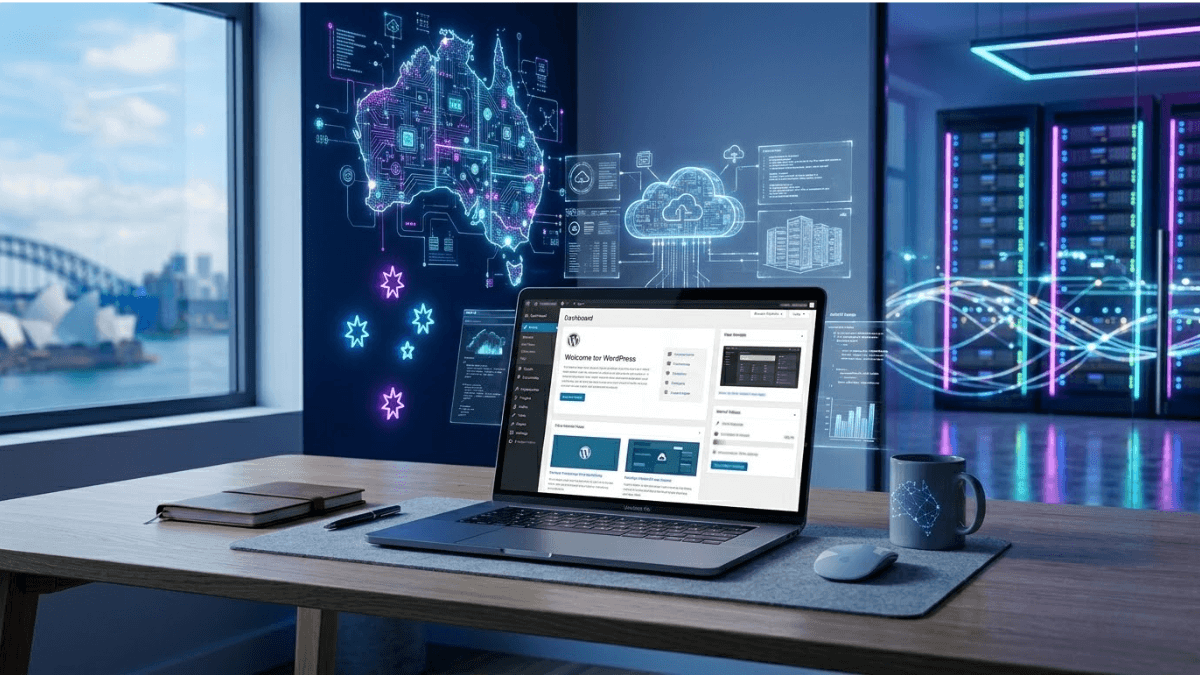
Choosing the right hosting environment can significantly impact how a website performs, loads, and grows over time. For businesses and individuals building sites on WordPress, selecting the right WordPress web hosting in Australia is an important step toward ensuring reliability, speed, and security.
With a wide range of hosting options available, it’s easy to get overwhelmed by technical terms and features. However, understanding the tools and benefits included in WordPress hosting can help users make smarter, more practical decisions.
What Is WordPress Web Hosting Australia, and Why Does It Matter?
“WordPress Web Hosting Australia” refers to hosting services specifically optimised for WordPress websites, with servers located in or tailored for Australian users. This type of hosting is designed to deliver better performance, improved security, and easier management compared to general hosting solutions.
It matters because:
- Websites load faster for local visitors
- Server configurations are optimised for WordPress functionality
- Technical issues are easier to manage with specialised support
- Security measures are tailored for WordPress environments
For anyone targeting an Australian audience, local hosting can make a noticeable difference in user experience.
Essential Tools Included in WordPress Hosting
Modern WordPress hosting plans come with a variety of tools that simplify website management, even for beginners.
Some commonly included tools are:
- One-click WordPress installation: Quickly set up a website without technical knowledge
- Automatic updates: Keeps WordPress core, themes, and plugins up to date
- Staging environments: Test changes before making them live
- Control panels: Manage files, domains, and settings easily
- Email hosting integration: Handle professional email accounts
These tools reduce the complexity of managing a website and allow users to focus more on content and growth.
Key Features That Improve Website Performance
Performance is one of the most important aspects of any website. Slow loading times can affect user experience and search rankings.
High-quality hosting typically includes:
- Content Delivery Networks (CDNs): Distribute content for faster loading
- SSD storage: Improves data retrieval speed
- Caching systems: Reduce load times by storing frequently accessed data
- Scalable resources: Handles traffic spikes without downtime
These features work together to ensure that websites remain fast and responsive, even during peak traffic periods.
Security Features You Should Not Overlook
Website security is a major concern, especially for businesses handling sensitive data. Reliable hosting services include built-in security features to protect websites from threats.
Important security features include:
- SSL certificates: Encrypt data between users and the website
- Daily backups: Protect against data loss
- Firewall protection: Blocks malicious traffic
- Malware scanning: Detects and removes harmful files
- Secure login systems: Prevent unauthorised access
Having these features in place reduces risks and provides peace of mind for website owners.
Real Benefits for Businesses and Website Owners
In the middle of managing an online presence, choosing the right WordPress Web Hosting Australia solution can directly impact growth and efficiency.
Some real-world benefits include:
- Faster website speed: Improves user experience and engagement
- Better search visibility: Speed and uptime support SEO performance
- Reduced downtime: Keeps websites accessible at all times
- Simplified management: Tools make handling the site easier
- Local support: Assistance tailored to Australian users
These benefits highlight why specialised hosting is often preferred over generic options.
Comparing Shared, VPS, and Managed WordPress Hosting
Understanding different hosting types can help users choose what best suits their needs.
Shared Hosting
- Affordable and beginner-friendly
- Resources shared with multiple websites
- Suitable for small or new sites
VPS Hosting
- Dedicated portion of server resources
- More control and better performance
- Ideal for growing websites
Managed WordPress Hosting
- Fully optimised for WordPress
- Includes automatic updates and maintenance
- Best for users who want a hassle-free experience
Each option offers different levels of control, performance, and cost, making it important to choose based on specific requirements.
Key Benefits of Choosing the Right Hosting Provider
Selecting the right provider goes beyond just price—it influences how well a website performs over time.
- Reliability: Consistent uptime and performance
- Speed optimisation: Faster loading pages
- Technical support: Access to knowledgeable assistance
- Ease of use: User-friendly tools and dashboards
- Scalability: Ability to grow with your website
These factors contribute to a smoother and more effective online experience.
Practical Tips Before Choosing a Hosting Plan
Making the right decision involves evaluating both current and future needs.
- Consider expected website traffic
- Check the server location for better performance
- The review included features and tools
- Look for strong security measures
- Ensure support is accessible when needed
Taking these steps helps avoid unnecessary complications later on.
Conclusion
WordPress hosting is more than just a place to store website files; it’s the foundation that supports performance, security, and growth. By understanding the tools, features, and real benefits available, users can make informed decisions that align with their goals.
Whether building a personal blog or managing a business website, choosing the right hosting solution ensures a smoother, faster, and more reliable online presence.
FAQs
1. What is WordPress hosting, and how is it different from regular hosting?
WordPress hosting is optimised specifically for WordPress websites, offering better performance, security, and ease of use.
2. Why is server location important in hosting?
Server location affects loading speed. Local servers provide faster access for nearby users.
3. What type of hosting is best for beginners?
Shared hosting or managed WordPress hosting is often suitable for beginners due to ease of use.
4. How does hosting impact website performance?
Hosting affects speed, uptime, and responsiveness, all of which influence user experience and SEO.
5. Are security features included in WordPress hosting plans?
Most quality hosting plans include features like SSL certificates, backups, and malware protection.

Working from home has become the new normal across Australia, and while the flexibility is great, staying productive can still be a challenge. The good news? The right gadgets can turn any spare room, dining table or quiet corner into a smooth, efficient and comfortable workspace. Whether you’re a hybrid worker, full-time remote employee or a freelancer, here are the top gadgets that make work-from-home life easier and more enjoyable.
1. Ergonomic Office Chair
A proper ergonomic chair is a game-changer. It supports your posture, reduces back strain and helps you stay comfortable during long workdays. Look for adjustable height, lumbar support and breathable fabric. A solid chair prevents fatigue and boosts your focus — a must for any home office.
2. Noise-Cancelling Headphones
If you’re working from a busy household, noise-cancelling headphones are essential. They block out background sounds, making it easier to concentrate during meetings, calls and deep-work sessions. Wireless models allow freedom of movement, while built-in microphones improve audio quality during video conferences.
3. Dual Monitor Setup
Once you try dual screens, there’s no going back. A second monitor improves productivity by allowing you to multitask without constantly switching tabs. You can view documents, spreadsheets and communication apps side by side, making workflow smoother and more efficient.
4. Standing Desk or Desk Converter
Standing desks have become extremely popular in Australian home offices. Switching between sitting and standing helps improve posture, reduce fatigue and keep energy levels steady. If you don’t want a full desk replacement, a desk converter is a great alternative — it simply sits on top of your existing table.
5. High-Quality Webcam
A good webcam is essential for crystal-clear video meetings. Upgraded webcams offer better resolution, improved lighting and sharper focus than most laptop cameras. They help you look professional in virtual meetings and make remote collaboration feel more connected.
6. Ring Light or Desk Lamp
Poor lighting can make video calls look dull and unprofessional. A ring light or adjustable desk lamp brightens your face, reduces shadows and enhances visibility. It’s a simple gadget that significantly improves your online presence during meetings, webinars or content creation.
7. Wireless Keyboard and Mouse
A wireless keyboard and mouse combo provides comfort, flexibility and better ergonomics compared to built-in laptop accessories. Mechanical keyboards suit heavy typers, while compact or silent keyboards are ideal for shared workspaces. A supportive ergonomic mouse can also reduce wrist strain.
8. USB-C Docking Station
If your laptop has limited ports, a docking station is incredibly useful. It allows you to connect monitors, hard drives, USB devices, audio gear and more — all through one plug. Docking stations help keep your desk tidy and your workflow seamless.
9. Smart Speakers
Smart speakers like Google Home or Amazon Echo make multitasking easier. You can set reminders, control smart lighting, check the weather, add to your calendar or play background music without touching your laptop. It’s hands-free convenience that helps you stay organised throughout the day.
10. Mesh Wi-Fi System
Poor Wi-Fi coverage is one of the biggest frustrations when working from home. A mesh Wi-Fi system extends and stabilises your internet connection across your home, ensuring smooth video calls, faster uploads and lag-free online work. This upgrade is especially helpful for larger houses or brick-walled homes.
11. Portable Laptop Stand
A laptop stand elevates your screen to eye level, improving posture and reducing neck strain. Many stands are adjustable, foldable and lightweight — perfect for remote workers who switch between rooms or enjoy working from cafés occasionally.
12. External Hard Drive or SSD
Backups are crucial when working from home. An external hard drive or SSD provides secure, fast storage for important files, photos, videos and documents. SSDs are faster and more durable, making them ideal for professionals who handle large files.
Final Thoughts
Working from home doesn’t have to mean juggling clutter, poor posture or slow internet. With the right gadgets, your home office can feel just as efficient — if not better — than a traditional workspace. Invest in equipment that supports your comfort, boosts your productivity and helps you maintain a healthy work-life balance.
Also Read This: The Ultimate Family Guide to Uluru: Fun Things to Do, Where to Stay & What to Pack

A Local’s Perspective on Choosing the Right Plumber in Altona

From Design to Durability: Choosing the Right Cabinet Hardware in Melbourne

A Closer Look at WordPress Web Hosting in Australia: Tools, Features, and Real Benefits

Eastern Eats: 6 Must-Try Restaurants in Melbourne’s Eastern Suburbs

Why Community Participation in Alice Springs Matters: Bridging Gaps, Enhancing Opportunities, and Building Stronger Communities

Don’t Let Heel Pain Rule Your Life: Why Heel Pain Specialists in Sydney Are the Experts You Need
-
 Food10 months ago
Eastern Eats: 6 Must-Try Restaurants in Melbourne’s Eastern Suburbs
-
 Healthcare10 months ago
Why Community Participation in Alice Springs Matters: Bridging Gaps, Enhancing Opportunities, and Building Stronger Communities
-
 Healthcare10 months ago
Don’t Let Heel Pain Rule Your Life: Why Heel Pain Specialists in Sydney Are the Experts You Need
-

 General10 months ago
The Role of Speech Therapy in Treating Common Speech & Language Disorders
-

 Healthcare10 months ago
Supporting Your NDIS Journey in Sydney: Why Partnering with a Skilled Provider Can Make a Lasting Difference in Your Life
-

 Healthcare10 months ago
Managing Chronic Conditions with Ease: Understanding the EPC Plan
-

 General10 months ago
Polycarbonate Roofing Sheets: Why They Are the Go-To Option for Outdoor Structures, Greenhouses, and Patios
-

 Healthcare10 months ago
Partial Nail Avulsion (PNA): A Quick and Effective Solution for Ingrown Toenails